
Have you ever charged your phone to 100% before going to bed, only to wake up to find the battery at 50% or lower? A phone battery draining overnight is a common problem that frustrates many smartphone users.
Your phone may lose a small amount of battery while you sleep, but losing a large percentage overnight usually means something is running in the background. Apps, poor network signals, system settings, battery health issues, or software problems can all cause unexpected battery drain.
The good news is that you can often fix this problem without replacing your phone. In this guide, we will explain why your phone battery drains overnight and the best ways to stop it.
READ MORE: Top 5 Smartphones of 2026: Galaxy S25 Ultra vs iPhone 16 Pro Max
Why Is My Phone Battery Draining Overnight?
A healthy smartphone should usually lose only around 1% to 5% battery overnight when it is not being used. If your phone loses 10%, 20%, or more while you sleep, there is likely an issue affecting battery performance.
Here are the most common reasons your phone battery drains overnight:
1. Background Apps Are Running While You Sleep
One of the biggest reasons for overnight battery drain is background activity.
Many apps continue working even when you are not actively using your phone. Social media apps, messaging apps, email services, cloud storage apps, and streaming apps may refresh data, check notifications, or sync files during the night.
For example:
- Facebook may refresh new posts
- Gmail may check for new emails
- Google Photos may upload pictures
- Cloud apps may sync files
- Shopping apps may send notifications
All these small activities consume battery power.
How to Fix It:
Check which apps are using your battery:
On Android:
- Open Settings
- Go to Battery
- Tap Battery Usage
- Check apps using the most power
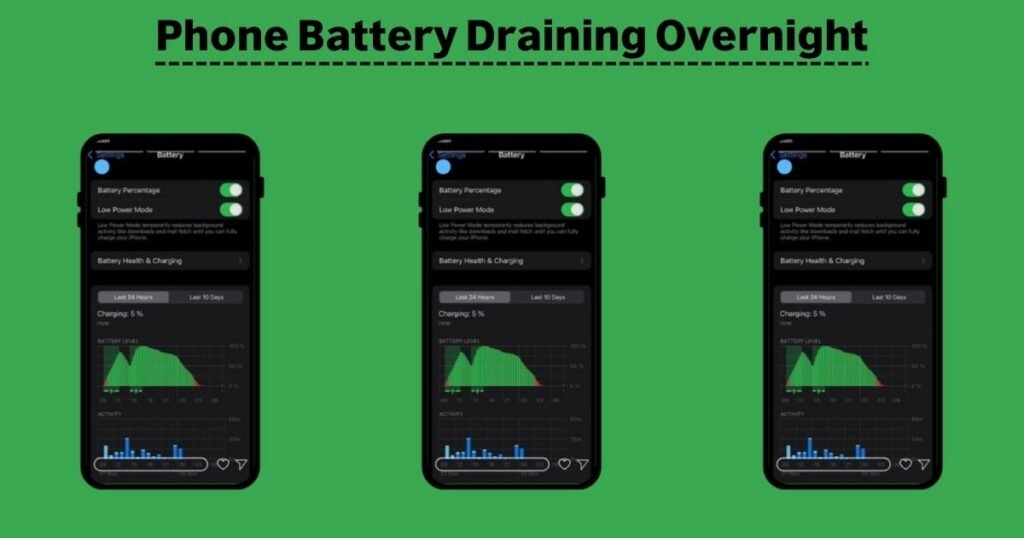
On iPhone:
- Open Settings
- Tap Battery
- Review battery activity and app usage
If an app is using too much battery, consider limiting background activity or uninstalling unnecessary apps.
READ MORE: Which Phone is better iPhone or Samsung
2. Poor Network Signal Can Drain Your Battery
Your phone constantly searches for a stronger connection when the network signal is weak.
If you sleep in an area with poor mobile coverage, your phone may spend hours trying to connect to a cell tower. This continuous searching can consume a significant amount of battery.
This problem is common in:
- Basements
- Rural areas
- Buildings with thick walls
- Areas with weak 5G coverage
How to Fix It:
Try these solutions:
- Turn on Airplane Mode while sleeping
- Use Wi-Fi calling if available
- Switch from 5G to 4G/LTE if the signal is unstable
- Move your phone closer to a window or better signal area
If your phone battery is fine during the day but drains heavily overnight, network issues may be the reason.
READ MORE: Best Foldable Smartphone
3. Too Many Notifications Wake Up Your Phone
Every notification can activate your phone screen, vibration motor, or background processes.
Apps sending frequent notifications can slowly drain your battery throughout the night.
Examples include:
- Social media alerts
- News updates
- Promotional messages
- Game notifications
- Shopping alerts
How to Fix It:
Disable unnecessary notifications.
Android:
Go to:
Settings → Notifications → App Notifications
Turn off alerts from apps you do not need.
iPhone:
Go to:
Settings → Notifications
Choose an app and disable unnecessary alerts.
Reducing notifications not only saves battery but also improves your sleep quality.
4. Battery Health Has Become Poor
Smartphone batteries naturally lose capacity over time.
Most modern smartphone batteries are lithium-ion batteries. After hundreds of charging cycles, they cannot hold the same amount of power as when they were new.
Signs of an aging battery include:
- Battery dropping quickly overnight
- Phone shutting down suddenly
- Battery percentage jumping unexpectedly
- Phone getting hot during charging
- Fast battery loss even when idle
How to Check Battery Health:
iPhone:
Go to:
Settings → Battery → Battery Health & Charging
Android:
Some Android phones show battery health under:
Settings → Battery
You can also use manufacturer battery diagnostic tools.
If your battery health is very low, replacing the battery may be the best solution.
5. Location Services Are Running Constantly
GPS and location tracking can consume battery power, especially when multiple apps are using your location.
Apps such as:
- Google Maps
- Weather apps
- Ride-sharing apps
- Fitness apps
- Social media apps
may continue checking your location in the background.
How to Fix It:
Review location permissions.
Android:
Go to:
Settings → Location → App Permissions
Choose which apps can access your location.
iPhone:
Go to:
Settings → Privacy & Security → Location Services
Change apps from:
- Always
- While Using
- Never
Only allow location access when necessary.
6. Your Phone Is Installing Updates Overnight
Many smartphones automatically download and install updates.
During this process, your phone may use:
- Internet connection
- Processor power
- Storage activity
This can cause temporary battery drain.
Usually, this is not a serious problem. However, if your phone loses a large amount of battery after every update, check your settings.
7. Bluetooth, Wi-Fi, and Mobile Data Are Always Active
Keeping wireless features active overnight may slightly increase battery usage.
Common battery-consuming connections include:
- Bluetooth devices
- Smartwatches
- Wireless earbuds
- Mobile hotspots
- Weak Wi-Fi connections
How to Reduce Battery Drain:
Before sleeping:
- Disconnect unused Bluetooth devices
- Turn off mobile hotspot
- Disable Wi-Fi scanning
- Use battery-saving mode
8. Malware or Suspicious Apps May Be Causing Battery Drain
Sometimes a newly installed app can cause unusual battery usage.
Apps downloaded from unknown sources may run hidden processes in the background.
Warning signs include:
- Phone becoming hot without use
- Battery suddenly draining faster
- Unknown apps appearing
- Increased data usage
What You Should Do:
- Delete recently installed suspicious apps
- Update your operating system
- Install apps only from official app stores
- Run a security scan if needed
How to Stop Phone Battery From Draining Overnight
Follow these simple steps to improve overnight battery life:
1. Enable Battery Saver Mode
Most smartphones include battery-saving features.
Battery saver can:
- Limit background activity
- Reduce performance
- Control syncing
- Restrict unnecessary apps
Turn it on before going to sleep.
2. Restart Your Phone Regularly
A simple restart can fix temporary software problems.
Restarting your phone helps:
- Clear memory issues
- Stop stuck apps
- Refresh system processes
Try restarting your phone once every few days.
3. Close Unused Apps
You do not need to close every app constantly, but removing apps that are frozen or consuming too much power can help.
Check battery settings first to identify problem apps.
4. Update Your Phone Software
Manufacturers regularly release updates that fix:
- Battery bugs
- Performance problems
- Security issues
Always keep your phone updated.
5. Avoid Charging Habits That Damage Battery Health
Poor charging habits can reduce battery lifespan.
Try these tips:
- Avoid extreme heat while charging
- Use original or certified chargers
- Avoid letting your battery reach 0% frequently
- Keep your phone away from direct sunlight
Should I Turn Off My Phone Overnight to Save Battery?
Turning off your phone completely will save the most battery, but it may not be practical for everyone.
You may miss:
- Emergency calls
- Important messages
- Alarm features
A better option is using:
- Airplane Mode
- Battery Saver Mode
- Do Not Disturb Mode
These features reduce battery usage while keeping your phone available.
How Much Battery Loss Overnight Is Normal?
A normal smartphone may lose:
- 1–5%: Excellent battery performance
- 5–10%: Usually acceptable
- 10–20%: Possible background activity issue
- 20% or more: Something needs attention
If your phone consistently loses more than 20% overnight, check battery usage statistics.
Phone Battery Draining Overnight After Update: What Should I Do?
Many users notice battery problems after installing a software update.
This can happen because your phone may temporarily:
- Rebuild system files
- Optimize apps
- Sync data
- Index photos and files
Usually, battery performance improves after a few days.
If the problem continues:
- Restart your phone
- Check battery usage
- Update apps
- Reset unnecessary settings
Frequently Asked Questions (FAQs)
Why does my phone lose battery overnight when I am not using it?
Your phone may lose battery overnight because apps are running in the background, notifications are active, the network signal is weak, or the battery health has declined.
How much battery should a phone lose overnight?
A healthy phone usually loses around 1% to 5% overnight. Losing more than 10% may indicate background activity or battery problems.
Does Airplane Mode stop overnight battery drain?
Yes. Airplane Mode disables cellular connections, which can significantly reduce battery drain, especially in areas with weak signals.
Why is my iPhone battery draining overnight?
Common reasons include background app activity, poor network connection, location services, outdated software, or reduced battery health.
Why is my Android phone losing battery overnight?
Android phones may drain battery because of background apps, Google services, notifications, poor signal strength, or battery settings.
Should I replace my phone battery if it drains overnight?
If your battery health is poor and your phone loses power quickly even when unused, replacing the battery may improve performance.
Final Thoughts
A phone battery draining overnight is usually caused by background activity, weak network signals, unnecessary notifications, or an aging battery. Before buying a new phone, try checking battery usage, limiting background apps, improving network settings, and enabling battery-saving features.
Small changes can make a big difference. With the right settings, your smartphone can maintain better battery life and last much longer throughout the day
