
A phone can feel warm during gaming, video calls, charging, or using GPS. That is usually normal. But if your phone becomes very hot, overheats while doing almost nothing, drains the battery quickly, or shows a temperature warning, something may be wrong. So, why is my phone overheating?
The most common reasons include heavy apps, charging, direct sunlight, poor cellular signal, background activity, an aging battery, or a software problem. Apple and Google both note that demanding activities such as gaming, high-quality video, navigation, camera use, and charging can make a phone warmer than normal.
The good news is that most overheating problems can be fixed with a few simple steps.
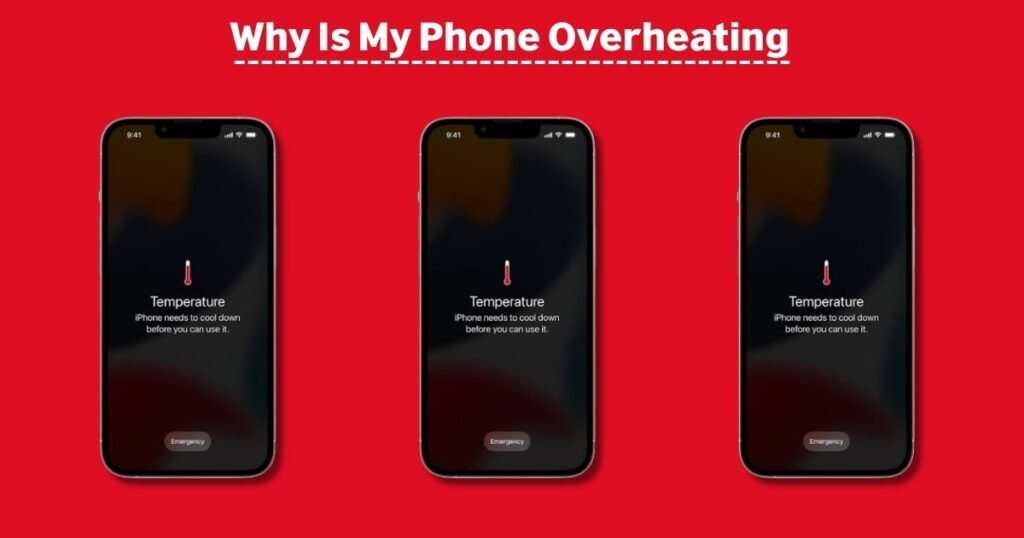
Why Is My Phone Overheating?
Here are the most common causes.
1. You Are Using Power-Hungry Apps
Games, video editing apps, camera apps, GPS navigation, video calls, and high-quality streaming can make the processor and graphics chip work harder.
The harder your phone works, the more heat it produces.
For example, playing a graphics-heavy game while using mobile data can make your phone much warmer than checking email or sending messages.
READ MORE: Free Tablet Registration: How to Sign Up and Get Your Device
2. Your Phone Is Charging
Charging naturally creates heat. The problem becomes more noticeable when you use your phone heavily while charging.
Wireless charging can also create additional warmth. Apple specifically lists wireless charging as one situation in which an iPhone may become warmer.
If your phone gets hot while charging:
- Stop gaming or streaming.
- Remove a thick case temporarily.
- Keep the phone away from direct sunlight.
- Use the recommended charger and cable.
- Place the phone on a hard, open surface.
Google also recommends using the power adapter intended for your phone because unsuitable chargers can damage the battery or charge improperly.
3. Your Phone Is in Direct Sunlight
A phone already produces heat when operating. Add strong sunlight or a hot car, and its temperature can rise quickly.
Avoid leaving your phone:
- On a car dashboard
- Near a window in direct sunlight
- On a hot surface
- Inside a parked car
- Near a heater
Apple recommends using iPhones and iPads in an ambient temperature between 0°C and 35°C (32°F and 95°F).
4. Too Many Apps Are Running
Some apps continue working in the background even when you are not actively using them.
A poorly designed or malfunctioning app can repeatedly use your processor, location services, network connection, or battery. This can lead to battery drain and overheating.
If your phone becomes hot while sitting idle, check your battery settings to see which apps are using the most power.
READ MORE: How Get a Free iPhone 15 for Seniors in 2026
5. Your Phone Has a Weak Cellular Signal
This is an easy cause to overlook.
When your phone has poor cellular coverage, it may work harder to maintain a connection. That increased network activity can use more battery and create additional heat. Google also notes that poor connectivity can increase power use.
This can happen frequently in places with weak indoor coverage or while traveling.
If you do not need cellular service temporarily, Airplane Mode can reduce this activity.
6. Your Phone Is Installing an Update
Your phone may temporarily become warm after a major software update, during setup, or while restoring a backup.
Apple lists setup, backup restoration, and major software updates among activities that can make an iPhone warmer.
In most cases, the temperature should return to normal once the process finishes.
7. Your Battery Is Getting Old
Lithium-ion batteries naturally lose capacity over time.
An aging or damaged battery may drain faster and generate more heat. If your phone regularly becomes hot during light use and the battery percentage drops unusually quickly, the battery deserves attention.
Check your phone’s battery-health or battery-diagnostics section if your device provides one.
8. Your Phone Case May Be Trapping Heat
A case does not normally cause overheating by itself, but a thick or poorly designed case can make it harder for heat to escape, especially while charging or gaming.
If your phone is hot, remove the case for a few minutes and see whether the temperature drops.
Google specifically recommends using cases made for the particular phone and removing the case when troubleshooting charging-related heat.
9. A Software Bug Could Be Causing the Problem
Sometimes overheating is not caused by how you use the phone.
A faulty app, operating-system bug, or background process can cause unusually high battery or processor use. Google has previously acknowledged an Android overheating and battery-drain issue caused by a software backend problem.
Restart your phone and install available software and app updates if overheating keeps happening.
How to Cool Down an Overheating Phone
If your phone is extremely hot, do not keep using it.
Follow these steps:
- Unplug the charger.
- Stop demanding apps and games.
- Remove the phone from direct sunlight.
- Take off the case temporarily.
- Move it to a cool, dry, well-ventilated place.
- Let it cool before using it again.
- Restart the phone after it returns to a normal temperature.
Google recommends disconnecting a phone from its power source and moving it to a cooler location if it becomes too hot.
Do not put a hot phone in a freezer or refrigerator. A sudden temperature change and condensation can create additional problems.
Why Is My Phone Overheating While Charging?
If your phone gets hot only while charging, look at the charging setup first.
Possible causes include:
- Using the phone heavily while charging
- Fast charging
- Wireless charging
- A damaged cable
- An unsuitable charger
- A damaged charging port
- Poor ventilation
- A thick case
- High room temperature
Try charging without the case and avoid using the phone during charging.
If the phone repeatedly becomes uncomfortably hot with different chargers and cables, have the device inspected.
Why Is My Phone Overheating When I’m Not Using It?
This is more concerning than normal warmth during gaming or charging.
If your phone is hot while sitting idle, possible causes include:
- A background app
- Poor cellular reception
- A software problem
- Malware or an unwanted app
- Battery deterioration
- A damaged battery
- A charging or hardware issue
Start by restarting the phone and checking battery usage. If one app is consuming an unusual amount of power, update or uninstall it and see whether the problem improves.
Is It Normal for a Phone to Get Warm?
Yes, sometimes.
Some warmth is expected when you are:
- Playing games
- Recording video
- Using GPS navigation
- Making video calls
- Streaming high-quality video
- Downloading large files
- Installing an update
- Charging wirelessly
Google says Pixel phones can become warm during activities such as video calls, HD video recording, streaming, navigation, hotspot use, and large data transfers.
The important difference is whether the phone cools down after the activity stops.
When Should You Worry About an Overheating Phone?
You should take the problem seriously if your phone:
- Becomes extremely hot during light use
- Gets hot while sitting idle
- Shows a temperature warning
- Shuts down because of heat
- Stops charging because of temperature
- Has severe or sudden battery drain
- Has a swollen or damaged battery
- Has been exposed to water and then starts overheating
- Smells unusual or produces smoke
Modern phones have built-in thermal protection. For example, an overheated Pixel may reduce performance, slow charging, disable certain features, or shut down to protect itself.
If the phone has physical damage or a suspected battery problem, stop using it and contact the manufacturer or a qualified repair professional.
iPhone vs. Android: Is the Cause Different?
The basic causes are similar on both platforms.
iPhone overheating
Common causes include intensive apps, gaming, camera use, high-quality streaming, wireless charging, direct sunlight, and hot environments. Apple says iPhones can temporarily change behavior or disable some features when temperatures move outside the normal operating range.
Android overheating
Android phones can also become warm during gaming, video recording, navigation, charging, hotspot use, and heavy data transfers. Background apps and poor network coverage can contribute as well.
The exact settings for checking battery usage and temperature depend on the phone brand and model.
Quick Phone Overheating Checklist
If your phone is hot right now, try this:
- Stop gaming, video recording, or navigation.
- Unplug the charger.
- Remove the case.
- Move the phone away from sunlight.
- Close or stop the app causing heavy battery use.
- Reduce screen brightness.
- Restart the phone after it cools.
- Check for software and app updates.
- Check battery health or diagnostics.
- Get professional help if overheating continues.
Frequently Asked Questions
Why does my phone get hot so fast?
Heavy apps, charging, direct sunlight, poor signal, background processes, and an aging battery can all make a phone heat up quickly.
How do I stop my phone from overheating?
Stop demanding activities, unplug it, remove the case, move it away from heat and sunlight, and allow it to cool. Then check battery usage and software updates.
Can a phone overheat because of a charger?
Yes. An unsuitable, damaged, or faulty charger or cable can contribute to charging and heat problems. Use a charger recommended for your device.
Should I put my phone in the refrigerator if it overheats?
No. Let the phone cool naturally in a cool, dry place. Avoid extreme temperature changes.
Does overheating damage a phone battery?
Repeated exposure to high temperatures can reduce battery life. Apple warns that using an iPhone in very hot conditions can permanently shorten battery life.
Final Takeaway
A warm phone is not automatically a problem. Gaming, charging, navigation, camera use, and other demanding tasks can naturally produce heat.
However, a phone that stays hot during light use or overheats while sitting idle deserves attention.
