
Mobile gaming has evolved dramatically over the past few years. You no longer need to drop $800 to $1,200 on a flagship device just to enjoy titles like Call of Duty: Mobile, PUBG Mobile, Roblox, or Asphalt 9. Mid-range hardware has caught up to the demands of modern Best Gaming Phone Under $400 price bracket a sweet spot for practical buyers.
However, buying a cheap gaming phone requires realistic expectations. Under $400, you will not be running every heavy 3D game at maxed-out graphics and 120 frames per second (fps). What you can expect is smooth 60 fps gameplay in popular competitive shooters at medium-to-low settings, vibrant high-refresh-rate displays, and battery life that keeps you playing for hours.
In this guide, we review five notable phones around or under $400, evaluating their real-world gaming capabilities, hardware specs, and crucial U.S. availability.
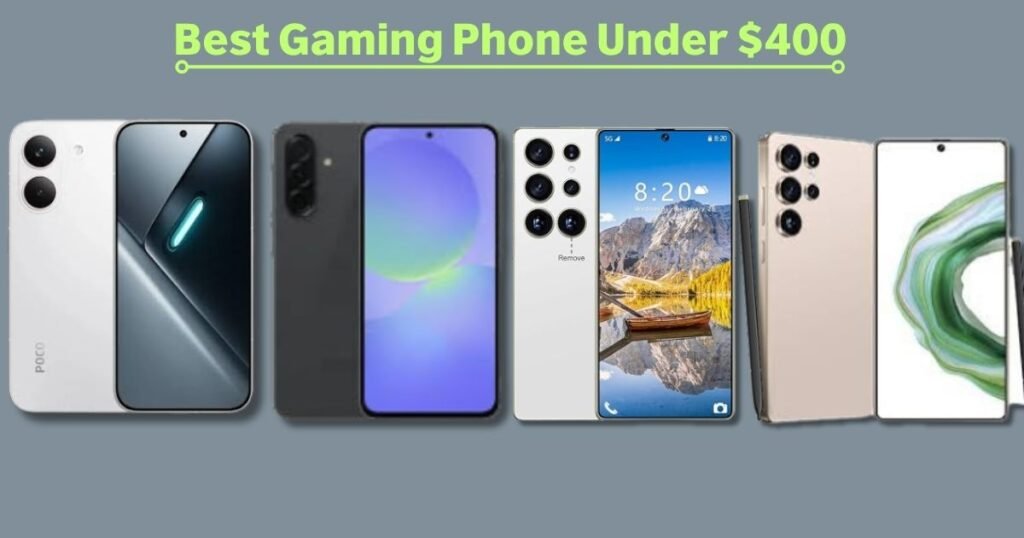
What Makes a Best Gaming Phone Under $400?
Processor and GPU
The SoC (System on Chip) combines the CPU and GPU, serving as the engine of your smartphone. While the CPU handles general app operations and logic, the GPU (Graphics Processing Unit) such as Qualcomm’s Adreno or ARM’s Mali series is directly responsible for rendering 3D graphics, shadows, and textures.
- CPU vs. GPU: A phone might boast an octa-core CPU, but if the GPU is underpowered, games like Genshin Impact will stutter.
- Sustained Performance & Thermal Throttling: Early benchmark bursts don’t tell the whole story. As a phone heats up during play, it automatically lowers processor speeds (thermal throttling) to prevent damage. A chip built on an efficient process node (like 4nm) retains higher frame rates longer.
- RAM Myth: Extra RAM helps keep apps open in the background, but adding more RAM will not make an underpowered GPU render graphics faster.
Display and Refresh Rate
A screen’s refresh rate dictates how many times per second the display updates its image.
- 60Hz vs. 90Hz vs. 120Hz: A phone with a 120Hz display under $400 offers noticeably smoother UI scrolling and menus. However, a 120Hz display does not guarantee 120 fps in games. Most demanding mobile games are locked by mid-range GPUs to 30 or 60 fps.
- AMOLED/OLED vs. LCD: AMOLED screens offer vibrant colors, true blacks, and better power efficiency compared to standard LCD panels.
- Touch Response Rate: Measured in Hz (e.g., 240Hz or 480Hz touch sampling), this measures how quickly the panel detects finger input critical for fast action in PUBG or Call of Duty.
RAM and Storage
- Physical RAM: 6GB to 8GB of real physical LPDDR4X or LPDDR5 RAM is the baseline for smooth Android gaming.
- Virtual RAM Warning: Many budget manufacturers advertise inflated specs (e.g., “up to 24GB RAM”). This relies on software memory expansion (using slow internal storage as virtual RAM). It does not boost GPU rendering speeds and should not be used to judge a phone’s power.
- Storage Standard: Look for UFS 2.2 or UFS 3.1 storage. Fast read/write speeds reduce load times when launching heavy titles.
Battery and Charging
Gaming drains power rapidly. Look for a 5,000mAh or larger battery paired with at least 25W to 45W fast wired charging.
Important Gaming Tip: Avoid heavy gaming while fast-charging your phone. Combining fast-charging heat with GPU heat accelerates thermal throttling and degrades long-term battery health.
Cooling and Thermal Management
Heat is the primary enemy of mobile performance. Built-in thermal systems such as internal graphite sheets or copper vapor chambers absorb heat from the chipset and spread it across the phone’s surface. Larger cooling surfaces help maintain sustained frame rates over 30 to 60 minutes of uninterrupted play.
Software and Gaming Features
Dedicated software features like Game Turbo, Game Launcher, or Game Mode allow you to:
- Block incoming calls and notifications while playing.
- Reclaim background RAM.
- Toggle between battery-saver and maximum performance modes.
- Monitor live hardware stats like CPU temperature and frame rates.
Long-term OS support is equally important to ensure future game updates remain compatible with your operating system.
READ MORE: Best Unlocked Phones in USA (2026): Top 7 Reviewed
5 Best Gaming Phones Under $400
When shopping for an affordable gaming smartphone, price fluctuations and grey-market imports mean you must look closely at carrier band support and warranties. Here is how top contenders stack up.
1. Samsung Galaxy A36 5G — Best Overall for U.S. Buyers
The Samsung Galaxy A36 5G is the safest, most reliable pick for U.S. buyers shopping for a best Android gaming phone under $400. Retaining Samsung’s refined design language, it brings key hardware features that matter to mobile gamers without pushing past standard budget limits.
Specifications & Features
- Display: 6.7-inch FHD+ Super AMOLED, 120Hz refresh rate, 1,900 nits peak brightness
- Processor & GPU: Qualcomm Snapdragon 6 Gen 3 (4nm) with Adreno 710 GPU
- RAM & Storage: 6GB / 8GB RAM; 128GB / 256GB UFS 2.2 storage
- Battery & Charging: 5,000mAh battery; 45W wired fast charging
- Cooling: Expanded internal copper vapor chamber
- Software: Android 15 with One UI, backed by 6 years of OS & security updates
- U.S. Compatibility: Full support for major U.S. 5G/LTE carriers (T-Mobile, AT&T, Verizon) with standard U.S. warranty.
Real-World Gaming Performance
Powered by the Snapdragon 6 Gen 3, the Galaxy A36 5G delivers realistic mid-range frame rates. Independent testing shows that it serves well as a best gaming phone for PUBG at medium settings, locked smoothly near 60 fps. For titles like Call of Duty: Mobile, it handles competitive frame rates reliably.
When pushed to demanding 3D games like Genshin Impact, the device averages around 40–43 fps on low graphics settings. The expanded vapor chamber helps mitigate surface heat, keeping thermal throttling minimal over extended sessions.
Pros:
- Vibrant 120Hz Super AMOLED screen with high outdoor visibility
- 6 years of guaranteed Android updates
- Reliable U.S. 5G carrier band support and official warranty coverage
- IP67 dust/water resistance rating
Cons:
- Lacks raw GPU horsepower for high-graphics settings in heavy 3D RPGs
- Charging adapter not included in the box
Who Should Buy It: Everyday gamers and U.S. buyers who want smooth competitive performance, official warranty support, and a top-tier display.
Who Should Skip It: Enthusiasts looking for max-graphics 60 fps performance in heavy titles like Genshin Impact.
READ MORE: Best Phones Under $300 in 2026: Top Budget Smartphones
2. Xiaomi POCO X8 Pro 5G — Best Raw Performance Pick (Import Notice)
For sheer hardware per dollar, the Xiaomi POCO X8 Pro 5G is a powerhouse, offering chip performance that outclasses most phones under $400. However, U.S. buyers need to approach it with an understanding of import trade-offs.
Specifications & Features
- Display: 6.59-inch 1.5K AMOLED, 120Hz refresh rate, 480Hz touch sampling rate
- Processor & GPU: MediaTek Dimensity 8500 Ultra with Mali-G720 GPU
- RAM & Storage: 8GB / 12GB RAM; 256GB / 512GB internal storage
- Battery & Charging: 6,500mAh battery; 100W ultra-fast wired charging
- Software: HyperOS based on Android
Real-World Gaming & U.S. Buyer Caveats
The MediaTek Dimensity 8500 Ultra chip offers higher raw graphical output than standard mid-range chips, making it a strong best phone for Genshin Impact under $400 candidate. It can push PUBG Mobile and CoD: Mobile to high frame rate modes easily, while maintaining high settings in 3D titles.
Crucial U.S. Warning: The POCO X8 Pro is generally sold as a Global/Imported model in the U.S. market.
- Carrier Bands: It lacks several LTE/5G frequency bands used by U.S. networks (especially Verizon and AT&T), which can lead to dropped calls or weak data connections. It works best on T-Mobile towers, but coverage may still be spotty in rural areas.
- Warranty: No official U.S. manufacturer warranty; repairs rely on reseller return policies.
Pros:
- Outstanding GPU performance for the sub-$400 price tag
- High 480Hz touch response rate for fast control input
- Massive 6,500mAh battery with 100W charging
Cons:
- Incomplete U.S. 5G band support
- No official U.S. warranty coverage
- HyperOS contains pre-installed software bloatware
Who Should Buy It: Gamers prioritizing maximum hardware power over native U.S. carrier support, or those operating primarily on Wi-Fi.
Who Should Skip It: Buyers needing reliable cellular connections across all U.S. networks or hassle-free local warranty support.
3. JQAKP I25 Ultra Smartphone — High-Storage Budget Option (Buyer Beware)
Sold through online marketplaces like Amazon, the JQAKP I25 Ultra frequently advertises flashy numbers such as 16GB RAM and 512GB storage for under $200. Buyers should look past the marketing claims before purchasing.
Hardware Breakdown & Realistic Expectations
While seller listings claim “Snapdragon 8 Gen 3” chips and extreme specs, third-party teardowns and independent listings reveal entry-level processors under the hood. The “16GB RAM” relies heavily on software virtual memory expansion over a smaller physical RAM base.
- Gaming Performance: Light casual titles like Roblox, Subway Surfers, or 2D arcade games run adequately. However, performance degrades on PUBG Mobile or Call of Duty, requiring low settings to achieve playable frame rates.
- Network & Support: Limited U.S. carrier band support, basic software optimization, and no official brand warranty channels.
Pros:
- Very low price point for 512GB of raw storage capacity
- Handles basic daily apps, social media, and casual 2D gaming
Cons:
- Misleading listing specs (advertised chip/RAM don’t match entry-level performance)
- Weak GPU unsuitable for heavy 3D titles
- Poor long-term software support and software optimization
Who Should Buy It: Gamers on a strict sub-$200 budget who prioritize maximum file storage space for media and lighter casual games.
Who Should Skip It: Anyone expecting true mid-range or competitive 60 fps gaming performance.
4. FOSSIBOT F114 — Best Rugged Option for Outdoor Durability
If drop protection and battery life matter more to you than ultra-high frame rates, rugged phones offer a distinct compromise. The FOSSIBOT F114 targets outdoor workers and outdoor enthusiasts who like to play games on the go.
Specifications & Features
- Display: 6.67-inch HD+ (720×1600) IPS LCD
- Processor & GPU: UNISOC Tiger T615 octa-core with Mali-G57 GPU
- RAM & Storage: 4GB physical RAM (with virtual expansion up to 12GB/28GB options) + 128GB/256GB storage (microSD expandable)
- Battery & Durability: 5,000mAh battery, IP68/IP69K shock/water resistance
Gaming Ergonomics & Performance
The UNISOC T615 chip is an entry-level processor. It can run lightweight titles and low-setting sessions in PUBG, but struggles with complex 3D environments.
The primary trade-off is physical ergonomics: the thick armor casing makes the phone significantly heavier and bulkier than standard smartphones, which can cause hand fatigue during long gaming sessions.
Pros:
- Outstanding drop, dust, and water resistance
- MicroSD storage expansion slot
- Affordable pricing for a durable chassis
Cons:
- Entry-level graphics performance
- Heavy, thick body reduces hand comfort during long play sessions
- Lower-resolution 720p LCD panel
Who Should Buy It: Gamers needing a drop-proof phone for work sites, camping, or rough environments.
Who Should Skip It: Competitive mobile gamers who demand smooth graphics, light weight, and high-refresh displays.
5. Huness I25 Ultra — Best Large-Storage & Stylus Option
The Huness I25 Ultra combines an integrated stylus with an advertised 1TB storage drive, appealing to users who want a Note-style experience on a budget.
Specifications & Features
- Display: 6.8-inch HD+ LCD display
- Processor & GPU: Entry-level octa-core processor
- Storage & Extras: 1TB built-in storage; built-in pop-out stylus pen
- Battery: 5,000mAh battery
Real-World Usability
The integrated stylus is useful for navigating UI menus, drawing, taking quick notes, or playing puzzle and strategy games (such as Clash of Clans or TFT). However, the pen offers limited functionality in fast-paced action titles like Call of Duty Mobile.
With an entry-level chipset, gaming performance remains basic. The 1TB storage drive is its main selling point, allowing users to store large offline media libraries alongside casual games.
Pros:
- Massive 1TB storage for offline media and files
- Integrated stylus pen included at a low price point
- Large screen size for media consumption
Cons:
- Entry-level processor limits action 3D gaming
- Display resolution and brightness fall short of AMOLED alternatives
- Unknown software update roadmap and limited U.S. band support
Who Should Buy It: Casual gamers who want an affordable phone with a stylus for puzzle games, productivity, and large media storage.
Who Should Skip It: Gamers looking for high frame rates, fast touch response, or vibrant AMOLED displays.
Comparison Table — Best Gaming Phones Under $400
| Phone | Processor | GPU | Display | Refresh Rate | Physical RAM | Storage | Battery / Charging | Gaming Strength | Approx. Price | Best For |
| Samsung Galaxy A36 5G | Snapdragon 6 Gen 3 | Adreno 710 | 6.7″ Super AMOLED | 120Hz | 6GB / 8GB | 128GB / 256GB | 5000mAh / 45W | Reliable frame stability & cooling | ~$350–$399 | Best Overall U.S. Buyer |
| Xiaomi POCO X8 Pro 5G | Dimensity 8500 Ultra | Mali-G720 | 6.59″ 1.5K AMOLED | 120Hz | 8GB / 12GB | 256GB / 512GB | 6500mAh / 100W | Highest raw graphics power | ~$379–$420 | Performance Purists (Wi-Fi/Import) |
| JQAKP I25 Ultra | Entry Octa-Core | Entry GPU | 6.9″ FHD+ LCD | 60Hz / 90Hz | 4GB–6GB physical | 512GB | 5000mAh / 18W | Large storage capacity | ~$160–$199 | Tight Budgets & High File Storage |
| FOSSIBOT F114 | UNISOC T615 | Mali-G57 | 6.67″ HD+ IPS LCD | 60Hz | 4GB physical | 128GB / 256GB | 5000mAh / 18W | Water & drop-proof body | ~$140–$180 | Outdoor & Rugged Use |
| Huness I25 Ultra | Entry Octa-Core | Entry GPU | 6.8″ HD+ LCD | 60Hz | 4GB–6GB physical | 1TB | 5000mAh / 18W | Stylus support & 1TB space | ~$170–$210 | Stylus Users & Media Hoarders |
Gaming Performance Comparison
Note: Ratings reflect expected continuous frame rate performance based on verified SoC specifications, independent testing, and thermal constraints.
| Phone | Casual Gaming (Roblox, Asphalt) | PUBG / CoD: Mobile | Genshin Impact / Heavy 3D | Heat Management | Battery Endurance | Overall Gaming Rating |
| Samsung Galaxy A36 5G | Excellent | Very Good (~60 fps) | Good (~40-43 fps, Low) | Very Good (Vapor Chamber) | Very Good | Very Good (Balanced) |
| Xiaomi POCO X8 Pro 5G | Excellent | Excellent (~60-90 fps) | Very Good (~50-60 fps, Med/High) | Good (Warmed under load) | Excellent (6500mAh) | Excellent (Raw Power) |
| JQAKP I25 Ultra | Good | Fair (~30 fps, Low) | Limited (Frequent stutters) | Fair | Good | Fair (Basic Gaming) |
| FOSSIBOT F114 | Good | Fair (~30 fps, Low) | Limited | Good (Thick shell insulates) | Good | Fair (Rugged Focus) |
| Huness I25 Ultra | Good | Fair (~30 fps, Low) | Limited | Fair | Good | Fair (Casual Focus) |
Which Gaming Phone Under $400 Is Right for You?
- Best for Competitive Gamers (PUBG, CoD: Mobile): Choose the Xiaomi POCO X8 Pro 5G if you are on Wi-Fi or T-Mobile, thanks to its high touch-sampling rate and high raw GPU output. Choose the Samsung Galaxy A36 5G for guaranteed U.S. band connectivity and consistent 60 fps gameplay.
- Best for Genshin Impact: The Xiaomi POCO X8 Pro 5G handles heavy 3D titles significantly better than other options under $400.
- Best for Extended Gaming Sessions: The Xiaomi POCO X8 Pro 5G wins on pure battery capacity (6,500mAh) and 100W charging speed.
- Best Everyday Phone + Gaming Balance: The Samsung Galaxy A36 5G offers the best balance: high-quality 120Hz display, clean software, IP67 waterproofing, 6 years of updates, and reliable gaming performance.
- Best for Durability: The FOSSIBOT F114 is the clear pick if you need a rugged, drop-resistant build.
- Best for Pure Offline Storage: The Huness I25 Ultra provides 1TB of storage alongside stylus support for casual gaming and media.
Gaming Phone Under $400 vs. Regular Budget Phone
When looking for a budget gaming phone, standard smartphone reviews can be deceptive. A phone optimized for general consumer use prioritizes different components than a gaming-focused device.
- Camera Megapixels vs. GPU Power: General budget phones often spend their manufacturing budget on 108MP camera sensors paired with weak processors. A gaming phone prioritizes a balanced SoC with a capable GPU.
- Screen Refresh Rate vs. Touch Sampling Rate: Everyday phones might feature a 90Hz screen with a standard 120Hz touch sampling rate. Gaming-centric phones offer fast touch response rates (240Hz–480Hz), ensuring instant control responsiveness.
- Sustained Performance vs. Peak Speed: A regular phone may run fast for 5 minutes before throttling graphics due to heat build-up. A gaming-focused phone uses internal cooling structures (like vapor chambers) to maintain consistent frame rates over 45-minute gaming sessions.
How Much Gaming Performance Can You Expect for $400?
Setting realistic expectations prevents buyer’s remorse when purchasing an affordable gaming smartphone:
- Competitive 2D & 3D Games (PUBG, CoD, Free Fire, Roblox): Expect smooth 50 to 60 fps performance at low-to-medium graphics settings.
- Heavy 3D RPGs (Genshin Impact, Honkai: Star Rail): Expect playable performance averaging 35 to 45 fps on Low graphics settings. Attempting to run high graphics settings will result in severe thermal throttling and battery drain.
- 60 FPS vs. 120 FPS: While the display panel may support 120Hz, mid-range GPUs under $400 rarely render heavy titles above 60 fps. Prioritize a solid, locked 60 fps over an unstable 90+ fps target.
- Network Impact: Online multiplayer games rely heavily on stable ping. A phone with strong U.S. 5G band support and Wi-Fi 6 will provide a smoother online experience than a higher-spec import phone with poor local network band reception.
Tips to Improve Gaming Performance on a Budget Phone
You can optimize performance on any mid-range Android phone with a few quick adjustments:
- Activate Built-in Game Mode: Enable Samsung Game Booster or Xiaomi Game Turbo to prioritize CPU/GPU cycles for your active game.
- Clear Background Apps: Close memory-heavy social media apps before launching intensive games to free up physical RAM.
- Remove Outer Cases During Long Sessions: Thick rubber or dual-layer protective cases trap heat. Removing the case helps heat dissipate into the surrounding air.
- Lower Graphics Before Frame Rates: In game settings menus, lower shadow quality, motion blur, and anti-aliasing while keeping the frame rate setting at “High” or “Max.”
- Avoid Direct Sunlight: Gaming in direct sun triggers thermal throttling almost instantly due to ambient solar heat.
- Keep Storage Below 80% Capacity: When flash memory (UFS) fills up, read/write speeds slow down, which can lead to in-game stuttering.
Common Mistakes When Buying a Gaming Phone Under $400
- Buying Based Only on RAM: Falling for marketing claims like “24GB RAM” without checking physical vs. virtual memory allocation.
- Assuming 120Hz Equals 120 FPS: Confusing the screen’s maximum refresh rate capability with actual GPU frame output.
- Ignoring Thermal Throttling: Buying based on short benchmark scores rather than sustained performance metrics.
- Ignoring U.S. Carrier Band Compatibility: Purchasing imported international models that lack LTE/5G bands for networks like Verizon or AT&T.
- Overlooking Warranty Support: Buying off-brand phones with no local U.S. customer service or replacement parts availability.
- Chasing Maximum Graphics: Setting games to maximum visual settings instead of targeting a stable, smooth frame rate.
Pros and Cons of Buying a Gaming Phone Under $400
Pros
- Exceptional Value: Access high-refresh 120Hz AMOLED displays and 5,000mAh+ batteries at a fraction of flagship prices.
- All-Day Battery Life: Mid-range processors are highly power-efficient, yielding long gaming and playback hours.
- Smooth Competitive Gaming: Delivers reliable 60 fps performance in popular esports titles like PUBG and CoD: Mobile.
- 3.5mm Audio & Expandability: Many budget devices retain microSD card slots and headphone jacks phased out by flagships.
Cons
- Mid-Range GPU Limits: Incapable of running demanding 3D titles like Genshin Impact at max settings or high frame rates.
- Secondary Feature Compromises: Camera hardware, speaker quality, and glass protection are often lower grade compared to standard non-gaming mid-rangers.
- Import Risks: High-spec budget picks often lack official U.S. warranties and network carrier band compatibility.
Frequently Asked Questions
What is the best gaming phone under $400?
The Samsung Galaxy A36 5G is the best overall option for U.S. buyers. It combines a 120Hz Super AMOLED display, a Snapdragon 6 Gen 3 processor, effective vapor chamber cooling, full U.S. 5G band support, and 6 years of software updates. If raw GPU power is your top priority and you operate primarily on Wi-Fi or T-Mobile, the Xiaomi POCO X8 Pro 5G offers higher hardware performance as an imported alternative.
Is the Samsung Galaxy A36 5G good for gaming?
Yes, the Samsung Galaxy A36 5G is a solid mid-range gaming phone. Its Snapdragon 6 Gen 3 chip handles competitive titles like PUBG Mobile smoothly at medium graphics around 60 fps. Demanding games like Genshin Impact run at playable speeds on lower graphics settings. Its 120Hz Super AMOLED screen and expanded vapor chamber provide great visuals and stable temperatures.
What is the best cheap phone for PUBG Mobile under $400?
For U.S. network compatibility and smooth 60 fps gameplay, the Samsung Galaxy A36 5G is an ideal choice. If you want higher frame rate options (up to 90 fps modes) and are comfortable with an imported device, the Xiaomi POCO X8 Pro 5G provides the extra GPU headroom required for competitive high-fps modes.
Can I get a 120Hz gaming phone for under $400?
Yes, several phones under $400 including the Samsung Galaxy A36 5G and Xiaomi POCO X8 Pro 5G feature 120Hz AMOLED screens. Keep in mind that a 120Hz panel makes UI interactions and supported lighter games ultra-smooth, but demanding 3D action games will still be limited by the GPU to 30 or 60 fps.
How much RAM do I need for gaming on a phone?
For Android gaming in 2026, 8GB of physical RAM is the ideal target. While 6GB physical RAM is functional, 8GB provides extra headroom for operating system tasks and background apps. Beware of marketed “virtual RAM” figures, as software memory expansion does not increase actual GPU rendering performance.
Final Verdict
Choosing the right gaming phone under 400 dollars comes down to balancing raw hardware performance against real-world usability and network support.
- Best Overall for U.S. Buyers: Samsung Galaxy A36 5G — Delivers the ideal mix of high-quality display tech, sustained 60 fps performance in popular titles, full U.S. carrier support, and unmatched 6-year software update commitments.
- Best Performance-Focused Option: Xiaomi POCO X8 Pro 5G — Offers top-tier GPU performance, a 6,500mAh battery, and 100W fast charging. However, it is an imported device lacking official U.S. warranty channels and full U.S. LTE/5G band support.
- Best High-Storage Budget Option: JQAKP I25 Ultra — Offers large 512GB storage at a low entry price, though actual processor specs are entry-level and unsuited for heavy 3D titles.
- Best Rugged Choice: FOSSIBOT F114 — Built for high durability with drop/waterproofing, but trades off gaming ergonomics and graphical performance.
- Best Storage + Stylus Option: Huness I25 Ultra — Combines a built-in stylus and 1TB storage for casual puzzle games, media, and note-taking.
For most U.S. consumers, the Samsung Galaxy A36 5G remains the safest and most well-rounded investment under $400. It handles competitive games reliably while offering long-term reliability and network support.
